
image bg My College First Ball
image My College First Ball
My College First Ball
Play Now
Game loading..
25
image bg My College First Ball

My College First Ball

1 plays

My College First Ball

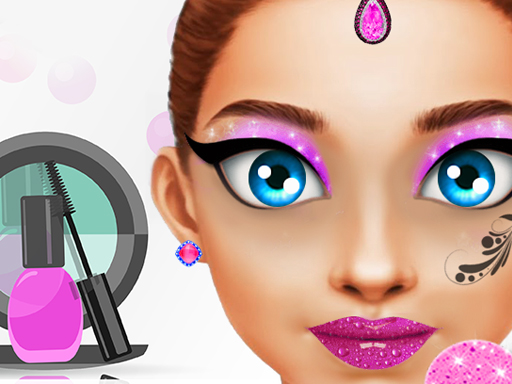
In "My College First Ball," join fashion-forward friends Bella, Jade, and Rebecca as they embark on an exciting new chapter in their lives at university. The trio is buzzing with anticipation for their inaugural college ball, an event that promises to be both glamorous and unforgettable. Each girl dreams of making a spectacular impression and turning heads as they dance the night away under shimmering lights.

As the big night approaches, Bella, Jade, and Rebecca are on the lookout for the perfect outfits that will showcase their personal styles while complementing their vibrant personalities. Whether it's Bella's chic elegance, Jade's trendsetting boldness, or Rebecca's charming sweetness, they need your fashion expertise to help them choose stunning dresses, stylish accessories, and perfect hairstyles. The goal is not only to look fabulous but also to gain confidence and enjoy their first college social experience together!

Join them in this interactive adventure, where you can experiment with a variety of clothing options and create eye-catching looks. From glamorous gowns to dazzling jewelry, your recommendations will boost their allure at the party, making sure all eyes are on them as they step onto the dance floor. Get ready to unleash your inner stylist!

How to play free My College First Ball game online

To play "My College First Ball," simply start the game and choose one of the three girls: Bella, Jade, or Rebecca. Browse through the stunning wardrobe options to dress them up using your fashion sense. Click on different clothing items, accessories, and hairstyles to customize their looks. Once you re satisfied, watch them shine at the ball!

Play My College First Ball

Play My College First Ball on VipGame24

For more amazing games, visit VIP Game 24 and explore various categories like Action Games, Racing Games, Arcade Games, Shooting Games, Puzzle Games, Sports Games, and Multiplayer Games.

About My College First Ball

My College First Ball is an exciting online game where players can enjoy fast-paced gameplay, challenging levels, and fun mechanics. The game is designed for both casual and competitive players who enjoy skill-based gaming experiences directly in their browser without downloading anything.

How To Play My College First Ball

Start the game by clicking the Play Now button. Use your keyboard, mouse, or touch controls depending on your device. Complete missions, defeat enemies, collect rewards, and unlock new challenges as you progress through the game.

My College First Ball Controls

  • Arrow Keys / WASD – Move character
  • Mouse Click – Attack or interact
  • Spacebar – Jump or special action
  • Mobile – Touchscreen controls supported

Game Features

  • Free to play online
  • No download required
  • Works on desktop and mobile
  • Smooth gameplay experience
  • Fun graphics and exciting challenges

Tips and Tricks

Focus on timing and strategy to improve your score. Learn enemy patterns, upgrade your skills, and use power-ups wisely. Practice regularly to unlock better performance and higher achievements inside My College First Ball.

Why Players Love My College First Ball

Players enjoy My College First Ball because of its addictive gameplay, smooth controls, engaging challenges, and replay value. The game offers entertainment for all age groups and keeps players coming back for more.

Can You Play My College First Ball on Mobile?

Yes, My College First Ball is fully playable on smartphones and tablets. The game works directly inside modern mobile browsers without requiring installation.

FAQ

Is My College First Ball free?

Yes, the game is completely free to play online.

Do I need to download anything?

No download or installation is required.

Can I play on Android and iPhone?

Yes, the game supports both Android and iOS devices.

Does My College First Ball work on PC?

Yes, the game works on desktops, laptops, and tablets.